
 The guys over at Empower have another Beta application they hope to wow the BlackBerry community with. Universal inline spell check. They have come up with a solution to provide inline spell checking for all BlackBerry devices. For 8830 and 8300 BlackBerry users this is just an improvement. For all other BlackBerry devices this is a godsend. The spell check dictionary is all on the device with no server required. InstaSpell is also integrated into all of the native BlackBerry applications such as the calendar, tasks, notes, BlackBerry Messenger, and more.
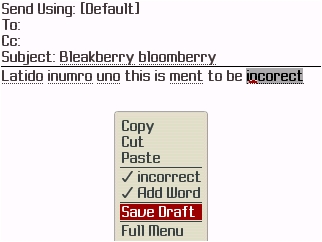
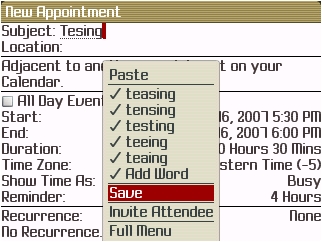
InstaSpell does inline spell checking which means that it detects incorrect words while you are typing. It does this in a fast and efficient manner and underlines every misspelled word. You just click on the menu button or the trackball when you are over the word and you are provided with spelling suggestions. There is also the ability to have you own custom words in the dictionary. They are also adding InstaSpell spell checking support to other BlackBerry applications including third party applications. It does work in a preliminary manner in many other applications. It does spell checking in GoogleTalk but it marks the name of each buddy as a misspelled word. Sadly there is no spell check for forms in the BlackBerry web browser. This could really turn out to be a winner for Empower so we will keep a close eye on this since the Beta looks very promising. Empower currently has InstaSpell in a private Beta with the current version being .71. They should have version 1.0 out real soon so expect an announcement here soon when it comes out. Check out some more screenshots after the jump.
Spell checking in emails:
Spell checking in calendar:
In notes:

In BlackBerry Messenger:

The Spelling application: (Not many options other than deleting the custom wordlist)

