
One of the pet peeves many people have with the BlackBerry is that it does not support Outlook categories for anything. For example you cant set the email flags, contact categories, & task categories from your BlackBerry. It just ignores them. The guys at BBproductivity have solved one of those issues. Namely allowing you to use their software and assign a category to a calendar entry from your BlackBerry. This will then show up in Outlook with the color coding many people use!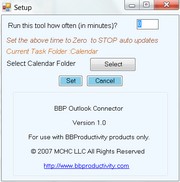
The cool part is that the software is bundled with the CallLogger application we told you about yesterday. That way you can easily categorize your phone call entries as such. The only downside is that you need to have an app running on your PC with Outlook to make the categories work.
Check out the details at this link. These guys are really creative…
