
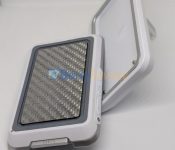
VibesModular – Modular Smartphone Accessories
Modular accessories for smartphone is not something new, from Google’s now cancelled Project Ara, to Motorola and Essential. A few companies, including VibesModular are looking to make accessories modular for smartphones so that it can be better reused for your new gadgets when you upgrade. Today we have VibesModular accessories to take a look at,…
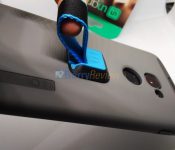
Giveaway Winners: Ungrip – Don’t Drop your Phone!
Last week, we reviewed the super useful accessory – Ungrip. The kind people behind ungrip gave us a few sets of the accessory to share and giveaway for this accessory. Now, its time to announce who are the lucky few!
Review & Giveaway: Ungrip – Don’t Drop your Phone!
BlackBerry has been built to last, in most cases, and they have been built quite well, though in the latest debacle – the BlackBerry KEYone screen may not be as well built into the device body like the other devices. But, nonetheless, dropping your phone is without doubt a painful memory, be it for the…
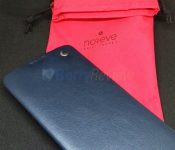
Noreve DTEK60 Leather Case
I have taken a look at Noreve cases for quite a long time and they have been delivering quality products without fail everytime. From BlackBerry Z30 to BlackBerry Passport, now let us take a look at the one for the DTEK60! For those eyeing the BlackBerry KEYone, fret not – they do have one for…
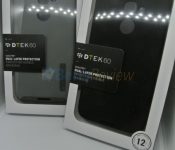
Incipio DualPro Case for BlackBerry DTEK60
The BlackBerry DTEK60 has been released in most markets for a while now and BlackBerry has provided quite a few accessories such as the BlackBerry Leather Flip case and the BlackBerry Soft Shell Case for the device. At launch, these accessories were bundled with the phone purchase free of charge, though not now. DTEK60’s accessory…
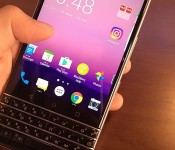
The First Possible Look at BlackBerry Mercury?
With BlackBerry moving much of the new production to China, its no surprise that the leak this round is from China again. In this case, here is the leak of the next, and purportedly last ‘in-house’ designed, BlackBerry device – the BlackBerry Mercury. The BlackBerry Mercury is BlackBerry’s next Android smartphone, with a physical keyboard…
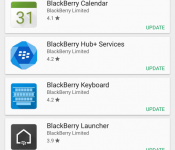
BlackBerry Updates Android Applications – Launcher with Dark Theme!
BlackBerry just released the updates to the applications for the Android devices. This update is quite a special one, introducing additional features to a few of the applications, which includes the BlackBerry Launcher and introduces the dark theme to it. Be sure to check them out!
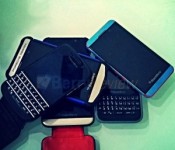
BlackBerry OS 10.3.3.2049 Starts ‘Leaking’ with Autoloaders
Earlier today, BlackBerry’s servers started going live with the latest BlackBerry 10 OS, which many of you might have been waiting for. The BlackBerry OS 10.3.3 is supposed to be the next update of the BlackBerry 10.3 OS for BlackBerry 10 devices. If your still holding onto a BlackBerry 10 device like me, this might…
Review: ZeBlaze ZeBand Smartwatch
ZeBlaze is another low cost brand from China that offers smartwatches at prices so affordable that is quite impossible to believe. Their first breakthrough was the ZeBlaze Crystal which was modeled heavily after the Apple iWatch. Now, the have launched another very affordable smartwatch – ZeBlaze ZeBand.

The 11.11 Gearbest Sale
With thanksgiving and Christmas coming right up, it is time to get gifts and presents for our loved ones and friends. If your looking for something unique and yet trying to avoid the Black Friday rush, here’s the annual 11.11 sale that will be coming up starting from November 7 at 16:00 UTC and leads…
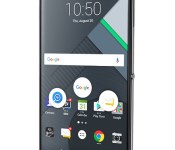
BlackBerry Announces the BlackBerry DTEK60
BlackBerry today has officially unveiled their latest flagship device, which without surprise here, runs on Android OS. Whilst the specifications have most, if not all, been leaked already, and the device has been highly expected, the device is now available for sale. The BlackBerry DTEK60, like its counterpart, the DTEK50, is made by TCL/Alcatel.

BlackBerry CEO Confirms Keyboard Device is Coming
BNN let us know that their correspondent Amber Kanwar had a special interview with BlackBerry CEO John Chen. In this interview, they spoke about their past devices and favourite devices, which no doubt, the BlackBerry 9900 and Passport are mentioned. In addition, he too dropped the ball that the BlackBerry Mercury is coming, despite the…