
 For months now I have been just using the BlackBerry Video Player with flash enabled as an emergency flashlight. While that is a free solution it is not the most elegant and kind of hampers your use of the video camera since you will most likely have to turn off the flash when you use it regularly. There were a few apps that used the screen with a white background or the coverage indicator LED as a flashlight but those did not really help unless you were inches away from what you were looking for.
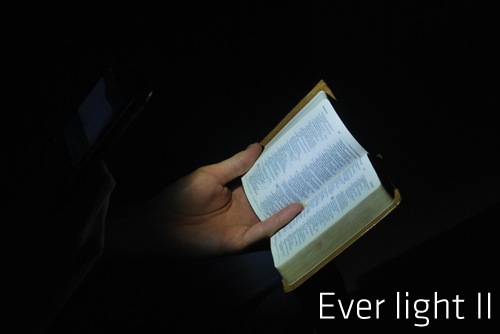
I used to think that it was impossible for an application to fire up the camera flash and leave it on. Turns out I was wrong… MMMOOO let me know that their new Ever Light II application lets you turn on the camera flash LED for as long as you want. You can then set a shortcut key for a flashlight. I am not sure if it is just firing up the camera app and changing a setting but the pictures look pretty cool. Let me know if any other app has this feature!
Sadly the app does not have a free trial but its $3.99 price tag is a tad high but people have been asking for this feature for a long time. Check it out in the store at this link or check out more pictures at this link.

A Claye Jones Not Registered
Posted: September 24, 2009 at 6:36 AM EST from my BlackBerry 9000
That’s just too high for me. There’s a member on Crackberry that makes one for free. Works pretty good too.
Terrence Not Registered
Posted: September 24, 2009 at 8:28 AM EST
In fact.. there is quite alot.. I found this cheaper so far (Same price..):
http://software.crackberry.com/product.asp?id=31073
http://software.crackberry.com/product.asp?id=37179&n=Video-Flashlight—One-Click-Stay-On-Camera-Light-Shortcut
But.. anyone got a free one? =X
Terrence Not Registered
Posted: September 24, 2009 at 8:53 AM EST
I found a free one now though..
http://wap.shao-soft.com/shao/FlashOn.jad
florian Not Registered
Posted: January 3, 2010 at 3:23 AM EST
I have changed the right hand side convenience key from “camera” to “video camera”. You then have a one click flashlight, if you have set the video light to always on (which you have to do to use the app as well).
That’s my one click flashlight. My backlight is set to fade out after one minute, which means the flashlight stays on for a whole minute, too. And when it finally turns off, and I still need light (which i usually don’t, as a minute is quite enough time to do whatever you need do in an emergency), guess what I have to do to turn it back on: PRESS THE TRACKPAD OR TRACKBALL ONLY ONCE!!!! It’s not that hard, really.
Now, with all that said: I would pay five bucks for an app that turns the flashlight on without opening the video camera.
Anyone???
btw, the shao-soft one from above post does not stay on, so it’s pretty much the same as my method.