
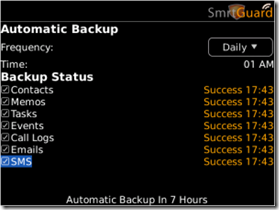
 Luis let me know that SmrtGuard has updated their very popular OTA backup and restore application. This new version brings a few important updates to the table including:
- More Robust Remote Wiping that wipes out Password Word Keeper, Facebook, Phone Application
- Backup and Restore secured by Advanced Encryption Standard (AES) encryption
- Easy and secured activation verification process with secure key exchange mechanism via HTTPS.
- Added support for User1, User2, User4, User4, Birthday, and Anniversary fields in Contact backup and restore.
- Other bug fixes and improvements.
Note: Since June SmrtGuard has also added phone support at: +1-732-579-3649 (M-F 11:00 AM to 7:00PM EST) which is unusually generous for a mobile developer.
If you already subscribe to SmrtGuard you can pick up the update OTA at this link. Otherwise you can pick up a subscription in the store at this link.

yahtzie Not Registered
Posted: September 21, 2009 at 12:41 PM EST
smrtguard has released version 1.99, check their website out http://www.smrtguard.com/support_kb.jsp?m=k, just an FYI.